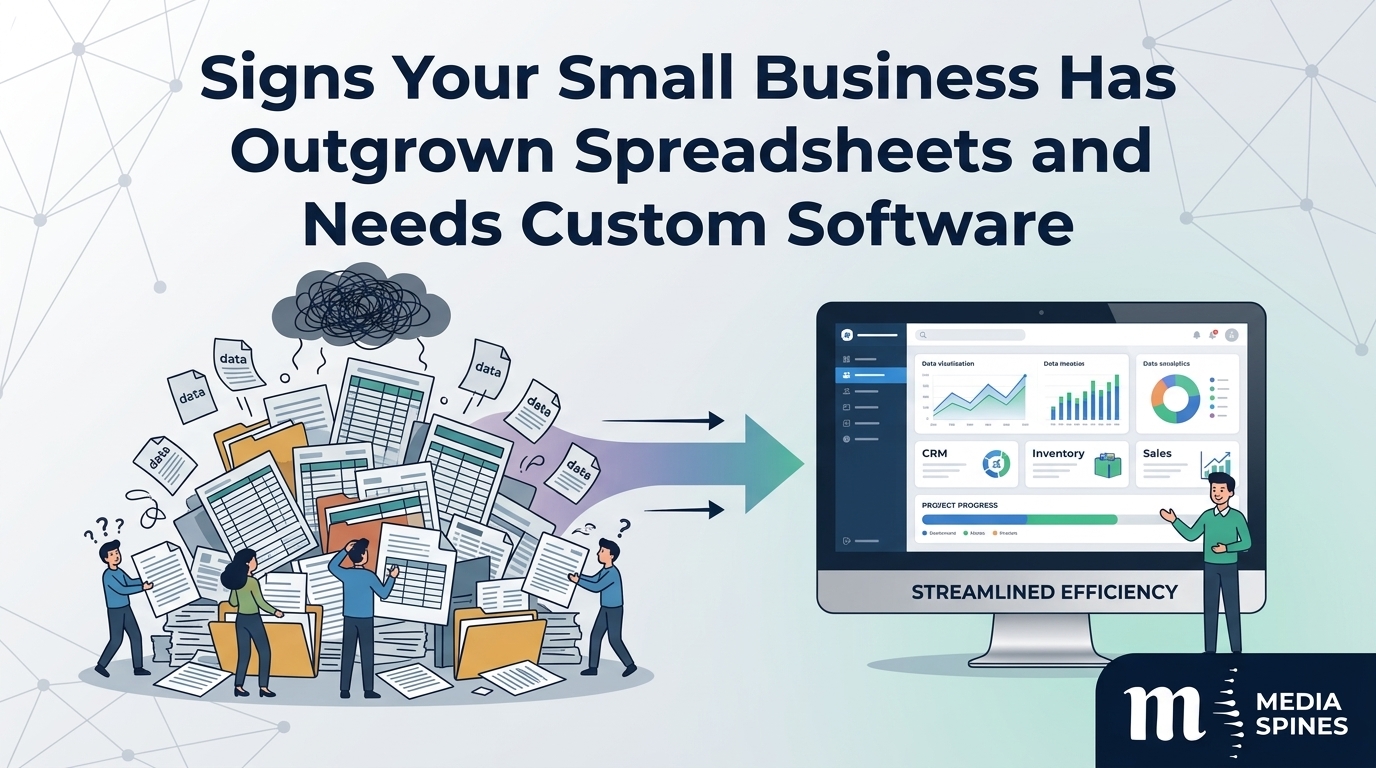
Every business starts with a spreadsheet. It’s free, familiar, and fast. You track orders in one tab, customers in another, and money in a third. For a while, it works.
Then one Monday you spend two hours finding out why the numbers don’t match. At Media Spines, we hear this story from owners all the time, and it usually ends the same way: the spreadsheet was never the problem; the business simply grew past it.
This guide shows you the signs, helps you judge whether it’s time to move, and explains what to do next without wasting money.
The Quick Answer
You’ve outgrown spreadsheets when errors cost you money, more than two people need the same data at once, or your team spends more time updating files than serving customers.
If three or more signs below sound familiar, your business is ready to look at custom software for small business or a ready-made tool built for your work.
Why Spreadsheets Work So Well, Until They Don’t
Spreadsheets are flexible. You can build almost anything in an afternoon. That’s their strength and their trap.
They were designed for calculating numbers, not for running a business. They don’t enforce rules, they don’t tell you when someone changes a cell, and they don’t connect to your other tools unless you copy and paste by hand.
A spreadsheet works best when:
- One person owns it
- The data is simple
- Mistakes are cheap
- Nobody else depends on it.
Once any of those stop being true, trouble starts quietly. You won’t notice it on day one. You’ll notice it in month fourteen, with an angry customer on the phone.
9 Signs Your Business Has Outgrown Spreadsheets
1. You Have Five Versions of the Same File
“Orders_final”, “Orders_final_v2”, “Orders_use_this_one”. If your team emails files back and forth, nobody knows which copy is correct. Decisions get made on old numbers.
Quick test: Ask three people for this month’s sales figure. If you get three answers, you have a version problem.
2. The Same Data Gets Typed Twice (or Three Times)
An order arrives. Someone types it into the sales sheet, then the invoice template, then the stock list. Every extra entry adds a chance for a typo.
One workshop owner told us his team spent about six hours a week retyping job details between files. That is almost a full working day, every week, spent on copying.
3. Mistakes Reach Your Customers
A wrong price. A missed delivery. A double booking. When errors leave the building, the spreadsheet is costing you reputation as well as time.
Once a mistake costs more than the software would, the decision is already made.
4. One Person Holds the Whole System in Their Head
Every office has one: the person who built the sheet and knows which cell not to touch. If they go on holiday or leave, work stops.
That isn’t a system. It’s a single point of failure with a nice colour scheme.
5. The File Is Slow, Heavy or Crashing
Spreadsheets with thousands of rows, many formulas, and links to other files get slow. They freeze, lose changes or refuse to open. When your key file takes a minute to load, your process has outgrown the tool.
6. You Can’t Control Who Sees What
Anyone with the file can see everything: pay rates, customer details, profit margins. Spreadsheets offer weak permission control. If you handle sensitive data, that’s a real risk, and in some industries a legal one.
7. Reports Take Hours to Build
If your month-end report needs half a day of filtering, pasting and fixing formulas, you’re paying someone to do what software does in seconds. Slow reporting also means slow decisions.
8. Your Tools Don’t Talk to Each Other
Your website takes orders. Your accounting package sends invoices. Your stock lives in a sheet. A person carries data between all three. Each handoff is a delay and an error waiting to happen.
9. Growth Makes Everything Harder
When you add staff, locations or product lines, the sheet gets messier, not better. If every new customer adds more admin than profit, your process has hit its ceiling.
How Many Signs Is Too Many?
Use this simple score:
| Signs You Recognise | What It Means | What To Do |
| 0 to 2 | Spreadsheets still fit | Tidy your files, add basic rules |
| 3 to 5 | Pain is growing | Research tools, list your must-haves |
| 6 to 9 | You’re losing money now | Plan a move within the next quarter |
Be honest when you count. Owners often underestimate the cost of problems they’ve lived with for years.
Real World Examples
These are illustrative scenarios based on common projects, not named clients.
The cleaning company. Bookings were kept in a shared sheet. Two supervisors booked the same crew on the same morning twice in one month. A simple custom scheduling tool with a calendar view and clash warnings fixed it. Missed jobs dropped to almost none.
The online shop. An e-commerce store tracked stock in a sheet and updated it each morning. Popular items sold out online while still showing as available. A small system that synced stock after every sale stopped the overselling and the refund emails.
The clinic that stayed put. A small physio practice asked whether it needed custom software. We looked at their volume, which was 25 appointments a day, and told them to use an existing booking tool. Spending thousands would have been a waste. Good advice sometimes means saying not yet.
When Custom Software for Small Business Makes Sense
Custom software isn’t the only answer, and it isn’t always the first one. It makes sense when:
- Your process is unusual and ready-made tools force you to change it.
- You need several systems to share data automatically.
- You pay for many subscriptions that each do one small piece.
- Your data is sensitive, and you need tight control.
- The work you do is how you make money, so errors hurt.
If your needs are standard, such as invoicing or email marketing, a ready-made tool will do. Don’t build what you can buy.
What a Small Business Management System Does
A small business management system brings your daily work into one place. It usually covers some mix of:
- Customers and contacts
- Orders, jobs or bookings
- Stock and suppliers
- Invoices and payments
- Staff tasks and permissions
- Reports on sales, costs and time
You can buy one off the shelf or have one built. A built system fits your steps exactly. A bought one is quicker to start but may force workarounds.
Spreadsheets vs Ready-Made Software vs Custom Software
| Factor | Spreadsheet | Ready-made Software | Custom Software |
| Upfront cost | Almost none | Low monthly fee | Higher one-time build |
| Setup time | Hours | Days | Weeks to months |
| Fit for your process | You build it | Partial | Exact |
| Error protection | Weak | Good | Strong, rules built in |
| Connects to other tools | Manual | Some integrations | As many as you need |
| Multiple users | Messy | Good | Good |
| Long-term cost | Hidden in staff time | Grows with each user | Stable after build |
| Best for | Small, simple tasks | Standard business needs | Unusual or growing needs |
Look at the hidden costs row. Staff time spent fixing spreadsheets rarely appears on a budget, yet it’s often the highest cost of all.
What Does Custom Software for Small Business Cost?
There is no single price. A basic tool with a few screens may start around $5,000 to $15,000. A fuller small business management system with users, reports, and integrations commonly costs $15,000 to $60,000 or more. Treat those as rough ranges, not quotes.
What drives the price:
- Number of features. Each extra module adds time.
- Integrations. Linking to accounting, payments, or your website adds testing.
- Design. Simple screens cost less than polished ones.
- Users and permissions. More roles mean more rules.
- Data move. Cleaning and importing old spreadsheet data takes effort.
Practical tip: Compare the build cost with what your current mess costs each year. Add staff hours, refunds, lost sales and delays. For many owners, the software pays back within one to two years.
How to Move Off Spreadsheets Without Chaos
Switching feels risky. These steps keep it calm.
- Map what you do now. Write down each step, from first enquiry to final invoice. Include the workarounds.
- Find the three biggest pains. Don’t try to fix everything. Pick the problems that cost the most.
- Clean your data first. Remove duplicates and fix formats before you import anything.
- Start with one process. Move orders or bookings first, then add more.
- Run both systems for two to four weeks. Compare results before you drop the old sheet.
- Train your team early. People resist tools they didn’t help choose. Ask them what annoys them most.
- Keep a backup. Save the old spreadsheets as read-only files.
Common Mistakes to Avoid
- Building too much at once. A huge first version takes longer and costs more. Launch small.
- Skipping the team. The people who use it daily know what’s broken.
- Choosing on price alone. The cheapest quote often misses key needs.
- Forgetting ownership. Make sure you own the code and have documentation.
- Ignoring support. Software needs updates. Plan a small monthly budget for care.
Don’t Forget Your Website and Marketing
Good custom software for small businesses should connect to the rest of your business. If your website takes enquiries, they should land in the system without anyone retyping them. Clean data also helps your marketing, since you can see which customers buy most and where they came from. Our digital marketing team often finds that tidy customer data makes ad spend and SEO work far more accurately.
If you’d like help deciding whether you need a build or a ready-made tool, the team at Media Spines can review your current process and give you a straight answer.
FAQs
Q1: What is custom software for small business?
It is software written for one company’s exact needs. It handles tasks like orders, bookings, stock, or reporting in the way your team already works, instead of making you adapt to a generic tool.
Q2: How do I know if my small business needs custom software?
Look for repeated errors, double data entry, slow reports, version confusion, and tools that don’t connect. If three or more fit your day-to-day, it’s worth exploring a custom build or a stronger ready-made option.
Q3: What is a small business management system?
It is a single platform that manages core tasks such as customers, orders, stock, invoices, staff, and reports. It replaces scattered files and gives everyone the same, current information.
Q4: How much does custom software cost for a small business?
Simple tools often start around $5,000 to $15,000, while full systems commonly range from $15,000 to $60,000 or more. Scope, integrations, and design drive the final number. Always ask for a written scope.
Q5: How long does it take to build?
A small tool can take four to eight weeks. A full system may take three to six months. Clear requirements and fast feedback shorten the timeline.
Q6: Is ready-made software better than custom software?
Often yes for standard needs. Ready-made tools are cheaper and faster to start. Custom software wins when your process is unusual, you need several systems linked, or ready-made options force costly workarounds.
Q7: Can I keep using spreadsheets alongside new software?
Yes, for a short time while you test. Run both for a few weeks, then retire the old files. Keep them as read-only backups.
Q8: Will my team find new software hard to learn?
Not if you involve them early. Build around the steps they already follow, train in small sessions, and ask for feedback in the first month. Good software feels simpler than the spreadsheet it replaces.
Wondering if your business has outgrown its spreadsheets? Get in touch, and we’ll look at your current setup and tell you honestly what you need.